
The soundscape of the demoscene is a vibrant tapestry woven from intricate code, stunning visuals, and, crucially, exceptional audio. From the pulse-pounding beats of a 4KB intro to the sprawling symphonies accompanying a full-blown demo, music is the emotional core, the driving force that elevates a technical marvel into an artistic statement. Yet, behind every soaring melody and ground-shaking bassline lies a fundamental decision: how to package that sound for optimal quality, efficient distribution, and scene compliance. This isn’t merely a technicality; it’s a strategic choice that impacts everything from compo eligibility to the longevity of your artistic legacy. Understanding the nuances of audio formats like FLAC, MP3, and Opus is not just for audio engineers; it’s essential knowledge for every demoscene musician, coder, and enthusiast who values the integrity of their sonic creations. Let’s dive into the fascinating world of audio compression and discover which format truly sings for your specific needs.
Lossless vs Lossy: Understanding Audio Compression
At the heart of every audio format discussion lies the fundamental distinction between lossless and lossy compression. This isn’t merely about file size; it’s about the very integrity of your sound, determining whether every single bit of your original recording makes it to the listener’s ears.
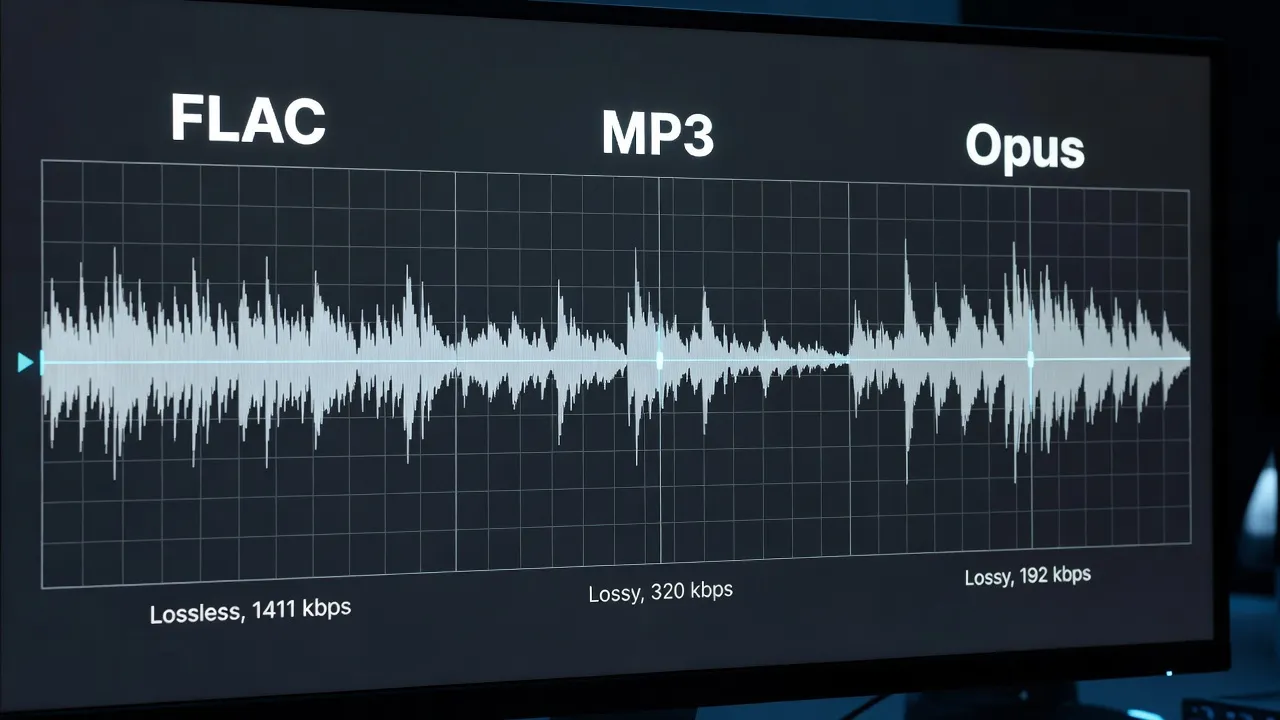
Lossless compression is akin to zipping up a text document: when you unzip it, every character is precisely where it was before. No information is discarded. Formats like FLAC achieve this by identifying redundant data in the audio stream and encoding it more efficiently, much like a sophisticated shorthand. When the file is decompressed, the original, unadulterated audio waveform is perfectly reconstructed, bit for bit. This means absolutely no compromise in sound quality. The trade-off, naturally, is that even with efficient compression, lossless files remain significantly larger than their lossy counterparts. They are the gold standard for archiving, mastering, and any scenario where absolute fidelity is paramount. Think of it as preserving the pristine master tape of your sonic creation.
Lossy compression, on the other hand, is a more aggressive approach. It achieves much smaller file sizes by permanently discarding information deemed least important or least perceptible to the human ear. This process relies heavily on psychoacoustics – the study of how humans perceive sound. Our ears are remarkably complex but also have limitations. For example, a very loud sound can mask a quieter sound at a similar frequency, making the quieter sound imperceptible. Lossy codecs exploit these perceptual limitations, intelligently removing data that, in theory, we wouldn’t miss. While incredibly effective for reducing file sizes and enabling faster streaming and downloads, this process is irreversible. Once the data is gone, it’s gone forever, meaning each subsequent re-encoding or conversion from a lossy source will introduce further degradation. The goal of a good lossy codec is to make this quality loss as imperceptible as possible, especially at higher bitrates.
To illustrate, imagine a high-resolution photograph. A lossless compression would be like creating a smaller, perfectly reconstructed copy of that photo. A lossy compression would be like carefully blurring out tiny details you likely wouldn’t notice anyway, resulting in a much smaller file but one that can never be fully restored to its original sharpness. For demoscene musicians, understanding this core difference is critical in choosing the right tool for the right job, balancing the desire for pristine audio with the practicalities of file size limits and distribution.
WAV and AIFF: The Raw Masters
Before any compression takes place, audio exists in its most pristine, unadulterated digital form, often captured and stored as Pulse-Code Modulation (PCM) data. This is where formats like WAV and AIFF come into play – they are essentially containers for this raw PCM audio, representing the exact digital waveform without any compression whatsoever. They are the foundational formats, the “raw masters” from which all other compressed versions are typically derived.
WAV (Waveform Audio File Format) is a Microsoft and IBM standard that has been ubiquitous in the Windows ecosystem and professional audio world for decades. It stores audio data in chunks, allowing for flexibility in terms of sample rate (e.g., 44.1 kHz, 48 kHz, 96 kHz), bit depth (e.g., 16-bit, 24-bit, 32-bit float), and channel count (mono, stereo, surround). The most common configuration, 16-bit, 44.1 kHz stereo, represents CD-quality audio – a standard set in the early 1980s. When you record audio in a Digital Audio Workstation (DAW) like Ableton Live, FL Studio, Renoise, or Cubase, the uncompressed audio is often stored internally or exported as WAV files.
AIFF (Audio Interchange File Format) is Apple’s equivalent, popular in the macOS environment and historically favored by audio professionals working on Macs. Functionally, AIFF is very similar to WAV; it also stores uncompressed PCM audio, offering the same high fidelity and flexibility in sample rates and bit depths. The primary difference lies in their internal structure and metadata handling, making them platform-specific but largely interchangeable in terms of audio content. Most modern DAWs and audio editors can read and write both formats seamlessly.
The immense advantage of WAV and AIFF is their absolute fidelity. They are literally a digital copy of the analog sound wave, converted without any data loss or manipulation. This makes them ideal for:
- Original Recordings: The first step in capturing any sound.
- Production Masters: The final, highest-quality version of a track before distribution.
- Archiving: Preserving the absolute source material for future use or re-encoding.
- Inter-DAW Exchange: Moving project elements between different audio software without any quality degradation.
However, their major drawback is file size. Uncompressed PCM audio requires a significant amount of storage. A typical 3-minute stereo track at 16-bit, 44.1 kHz will be around 30-35 MB. Multiply that by dozens or hundreds of tracks in a demoscene production, and the storage requirements quickly become astronomical, making them impractical for online distribution, compo submissions with strict size limits, or even casual sharing. For instance, a 64KB intro would be impossible to deliver with a WAV file alone, highlighting why compression is indispensable in the demoscene. While they are the “raw masters” that should always be kept, they are rarely the format you’ll submit or share directly.
FLAC: The Archivist’s Standard
When the absolute fidelity of WAV or AIFF is desired but their hefty file sizes become a practical impediment, FLAC (Free Lossless Audio Codec) steps in as the undisputed champion. Developed by the Xiph.Org Foundation and released in 2001, FLAC offers the best of both worlds: perfect, bit-for-bit audio reproduction combined with significant file size reduction. It has rapidly become the archivist’s standard for serious audio enthusiasts, professional musicians, and, crucially, for demoscene artists who want to preserve their sonic creations without compromise.
The magic of FLAC lies in its lossless compression algorithm. Unlike MP3 or OGG Vorbis, FLAC does not discard any audio information. Instead, it employs sophisticated mathematical techniques to identify and remove statistical redundancies in the audio data. Think of it like a highly intelligent ZIP file specifically designed for audio. It finds patterns and repetitive sequences in the waveform and encodes them more efficiently, much like finding a recurring phrase in a document and replacing it with a shorter symbol. When the FLAC file is played back or converted back to WAV, the decoder perfectly reconstructs the original audio data exactly as it was before compression. It is, by definition, bit-perfect.
Before exporting to FLAC or MP3, most demoscene audio starts as a module file — our guide to tracker music and its native module formats explains the source formats.
This bit-perfect nature is FLAC’s most compelling feature. It guarantees that what you hear is precisely what the artist intended, free from any compression artifacts. Despite this, FLAC achieves impressive file size reductions, typically in the range of 50-60% compared to the original uncompressed WAV or AIFF file. This means a 35MB WAV file could become a 14-17MB FLAC file, a substantial saving without any quality loss.
Key advantages of FLAC:
- Perfect Fidelity: Absolutely no audio data is lost. It’s a true digital copy of the original.
- Significant Size Reduction: While not as small as lossy formats, the 50-60% reduction makes high-quality audio much more manageable for storage and distribution.
- Open Source and Royalty-Free: Developed by the Xiph.Org Foundation, FLAC is completely open-source and free to use, making it an excellent choice for broad adoption without licensing concerns.
- Robust Metadata Support: FLAC files can store extensive metadata, including artist, title, album, cover art, and even custom tags, which is invaluable for organizing large music libraries.
- Error Resilience: Designed to gracefully handle corruption, minimizing playback issues even if parts of the file are damaged.
- Widespread Support: Supported by virtually all modern media players, DAWs (for import/export), and streaming services (often as the internal source for transcoding).
Practical Use Cases for Sceners: For demoscene musicians, FLAC is indispensable for:
- Archiving Masters: This is its primary role. After completing a track for a demo or intro, export your final mix from your DAW as a WAV/AIFF, and then convert it to FLAC for long-term archival. This preserves your work in its highest fidelity while saving valuable disk space.
- Source for Lossy Encoding: When you need to create MP3s or OGG Vorbis files for compo submissions or general distribution, always encode from your FLAC (or WAV) master. Never re-encode from an existing lossy file, as this introduces generational loss.
- High-Quality Distribution: If you’re releasing your demoscene music on platforms like Bandcamp or your personal website and want to offer listeners the absolute best quality, FLAC is the format to provide. Many listeners, especially audiophiles and fellow musicians, will appreciate the option.
- Collaborative Work: Sharing high-quality audio stems or final mixes with collaborators who prioritize fidelity.
While FLAC files are larger than lossy formats, the negligible processing power required to decode them on modern hardware means playback is seamless. For preserving the sonic legacy of the demoscene, FLAC stands as an essential, future-proof format.
MP3 at 160kbps+: Still the Scene Standard
The MPEG Audio Layer III, universally known as MP3, is arguably the most transformative audio format in history. Developed by Fraunhofer IIS and others in the 1990s, it revolutionized digital music distribution and consumption, shrinking audio files to a fraction of their original size and making them viable for the nascent internet and portable players. Despite newer, technically superior codecs emerging, MP3 retains a powerful foothold, particularly within the demoscene, often remaining the de facto standard for compo submissions.
MP3 is a lossy compression format that achieves its dramatic size reduction by employing a sophisticated psychoacoustic model. This model analyzes the audio signal and identifies sounds that the human ear is least likely to perceive due to phenomena like auditory masking (where a louder sound makes a quieter sound in a similar frequency range inaudible) and the limitations of human hearing at extreme high and low frequencies. It then intelligently discards this “unnecessary” information. The goal is to remove as much data as possible while making the perceived quality loss minimal or imperceptible to most listeners.
MP3 files are typically defined by their bitrate, measured in kilobits per second (kbps). Higher bitrates mean more data is retained, resulting in better sound quality but larger file sizes. Common bitrates include:
- 128 kbps: Once the standard for early internet downloads, offering reasonable quality for its time but often exhibiting noticeable artifacts, especially for discerning ears.
- 192 kbps: A good balance of quality and file size for general listening.
- 320 kbps: The highest quality MP3, often considered “near-transparent” for many listeners, though still lossy.
Old-school formats have their own encoding challenges — our guide to how chiptune and tracker music handles audio encoding explains the unique constraints of SID, MOD, and XM files.
While Constant Bit Rate (CBR) encodes at a fixed bitrate throughout the track, Variable Bit Rate (VBR) is often preferred for higher quality. VBR dynamically adjusts the bitrate based on the complexity of the audio, using higher bitrates for intricate passages and lower bitrates for simpler ones, optimizing for both quality and file size.
The Demoscene’s MP3 Rule: 160kbps+ A crucial detail for demoscene musicians is the historical and ongoing prevalence of MP3 in compo rules. For example, the Stream 8 (2011) compo rule explicitly stated MP3 or OGG Vorbis at a minimum of 160kbps. This threshold wasn’t arbitrary; it represented a pragmatic balance for party organizers:
- Quality: 160kbps was deemed sufficient to provide a good listening experience on varied sound systems, from high-end setups to more modest party rigs, without excessive audible artifacts.
- File Size: It kept file sizes manageable for party servers, ensuring quick downloads for attendees and reducing storage strain, a significant concern in the era when these rules were established.
- Compatibility: MP3’s near-universal compatibility meant that entries could be played back reliably on virtually any system, preventing technical hiccups during a live compo.
Even today, many demoparties continue to specify MP3 (or OGG Vorbis) at 160kbps or 192kbps minimum as the acceptable audio format for music, intro, and demo entries. This makes understanding and correctly encoding MP3s a vital skill for anyone participating in the scene.
Pros of MP3:
- Ubiquitous Compatibility: Playable on virtually every device, software, and platform imaginable.
- Small File Sizes: Excellent for distribution, streaming, and situations with bandwidth or storage constraints.
- Good Quality at Higher Bitrates: At 192kbps and especially 320kbps, MP3 offers a very respectable listening experience for most casual listeners.
Cons of MP3:
- Lossy Compression: Irreversible quality loss, especially noticeable at lower bitrates or with complex, transient-rich audio (e.g., sharp percussion, complex reverbs).
- Compression Artifacts: Can introduce audible artifacts like “pre-echo” (a faint ghosting of a sound before it actually occurs) or “ringing” (a metallic resonance around sharp transients).
- Generational Loss: Re-encoding an MP3 to another MP3 (or any other lossy format) will further degrade quality. Always encode from a lossless source.
- Historical Patent Issues: While most core patents have expired, leading to its widespread adoption, licensing was a significant hurdle in its early days.
The choice of format matters for archival — our coverage of the archives that store these files explains what SceneSat and ModArchive actually preserve.
For demoscene musicians, MP3 remains a practical necessity for compo submissions. When preparing an MP3, always use a high-quality encoder (like LAME) and encode from your lossless master (WAV or FLAC) at the highest bitrate allowed by the party rules, ideally 192kbps or 320kbps, to ensure your music sounds its best within the constraints.
OGG Vorbis: The Open-Source Alternative
In the late 1990s and early 2000s, as MP3’s dominance grew, so did concerns about its proprietary nature and licensing fees. This environment fostered the development of open-source alternatives, most notably OGG Vorbis, another brainchild of the Xiph.Org Foundation (the same group behind FLAC). Launched in 2002, OGG Vorbis aimed to provide a completely free, patent-unencumbered, and technically superior lossy audio codec.
Like MP3, OGG Vorbis is a lossy psychoacoustic codec. It operates on similar principles, identifying and discarding audio information that is perceptually less important to the human ear. However, it uses a different set of algorithms and a distinct psychoacoustic model than MP3. This often results in a more efficient compression, meaning OGG Vorbis can sometimes achieve comparable or even superior sound quality to MP3 at equivalent or lower bitrates, particularly in the mid-range (e.g., 96kbps to 160kbps). Its design was specifically optimized to avoid some of the common artifacts associated with MP3, such as pre-echo, especially at lower bitrates.
OGG Vorbis files are typically encased in the .ogg container format, which can also hold other types of media data, though it’s most commonly associated with Vorbis audio. It supports a wide range of bitrates and is often encoded using Variable Bit Rate (VBR) by default, similar to how modern MP3 encoders operate, to optimize for both quality and file size.
The Demoscene’s OGG Vorbis Rule: Just like MP3, OGG Vorbis found its place in demoscene compo rules. The Stream 8 (2011) compo rule explicitly allowed MP3 or OGG Vorbis at a minimum of 160kbps. This inclusion was a nod to its open-source nature and its perceived technical advantages over MP3 at certain bitrates. For many years, OGG Vorbis was a preferred choice for those who championed open standards and felt it offered a cleaner sound, especially for more complex or percussive demoscene tracks, within typical compo file size limits.
Pros of OGG Vorbis:
- Open Source and Royalty-Free: This is its defining advantage. No licensing fees or patent concerns, making it ideal for developers, open platforms, and anyone who values freedom from proprietary restrictions.
- Technical Superiority (Historically): Often demonstrated better quality than MP3 at lower to mid-range bitrates, particularly in the 96-160kbps range, with fewer noticeable artifacts.
- Efficient for Streaming: Its design makes it suitable for streaming applications, though it has largely been superseded by Opus in this regard.
- Good for Game Audio: Frequently used in video games due to its open nature and efficient decoding.
Cons of OGG Vorbis:
- Less Ubiquitous than MP3: While widely supported by software players and most modern browsers, its hardware support is less universal than MP3, which can be a consideration for older devices or niche platforms.
- Gradually Replaced by Opus: For modern applications, especially streaming and low-bitrate scenarios, Opus has largely surpassed OGG Vorbis in performance and efficiency.
- Still Lossy: Like MP3, it suffers from irreversible quality loss and generational degradation upon re-encoding.
Audio rendering performance depends on hardware — ComputerHeaven’s hardware specifications relevant to audio processing covers the specs that matter for real-time audio work.
For demoscene musicians, OGG Vorbis remains a valid and often excellent choice for compo submissions, provided the party rules allow it. When encoding, use a quality encoder like oggenc and always start from your lossless FLAC or WAV master to ensure the best possible result within the specified bitrate limits. While its star has waned slightly in the face of newer codecs, its historical significance and continued presence in scene rules make it an important format to understand.
Opus: The Modern Winner
Emerging onto the scene in 2012, Opus is the latest and arguably most technologically advanced audio codec from the Xiph.Org Foundation, developed in collaboration with the Internet Engineering Task Force (IETF). It represents a significant leap forward in audio compression, effectively combining the best aspects of previous codecs into a single, highly versatile, and remarkably efficient format. For many, Opus is the modern winner in the lossy audio compression space, poised to eventually replace MP3 and OGG Vorbis for most streaming and general distribution purposes.
The genius of Opus lies in its hybrid nature. It intelligently combines two distinct audio coding technologies:
- SILK: Optimized for speech and voice, offering excellent quality at very low bitrates and low latency. It’s derived from the codec used in Skype.
- CELT (Code-Excited Linear Prediction): Optimized for general audio, including music, and excels at higher bitrates and maintaining fidelity for complex sounds. It’s related to the technology used in OGG Vorbis and AAC.
Opus can dynamically switch between these two modes, or even blend them, depending on the characteristics of the audio being encoded and the target bitrate. This adaptability allows it to perform exceptionally well across an incredibly wide range of bitrates, from ultra-low (for voice communication) to very high (for near-transparent music). Its bitrate flexibility spans a remarkable 6 kbps to 510 kbps.
Key Features and Advantages of Opus:
- Unrivaled Quality-to-File-Size Ratio: This is Opus’s biggest selling point. Independent listening tests consistently show that Opus outperforms MP3 at all bitrates, and often surpasses OGG Vorbis and AAC as well. At lower bitrates (e.g., 64-96kbps), Opus delivers quality that might require 128-192kbps MP3s, making it incredibly efficient. At higher bitrates (128kbps+), it approaches transparency with ease.
- Extremely Wide Bitrate Range: Its adaptability from 6kbps (for clear speech) to 510kbps (for pristine music) makes it suitable for almost any audio application.
- Low Latency: Designed with real-time communication in mind, Opus boasts very low encoding and decoding latency, making it ideal for VoIP, online gaming voice chat (e.g., Discord), and live streaming.
- Open Source and Royalty-Free: Like FLAC and OGG Vorbis, Opus is completely open and free to use, ensuring its long-term viability and broad adoption without licensing hurdles.
- Excellent for Music and Voice: Its hybrid nature means it handles both speech and complex music equally well, a rare feat for an audio codec.
- Robust Error Concealment: Designed to handle packet loss gracefully, making it resilient for internet streaming.
Current Use Cases and Future Potential for Sceners: Opus is rapidly gaining traction and is already widely used in:
- Web Streaming: Platforms like YouTube, Twitch, and Spotify (for high-quality tiers) leverage Opus for efficient and high-quality audio delivery.
- Voice Communication: Discord, the popular platform for gamers and communities, uses Opus for all its voice channels, demonstrating its low-latency and quality capabilities.
- Podcasting: Increasingly adopted for podcast distribution due to its efficiency and quality.
- Web Browsers: All major web browsers (Chrome, Firefox, Edge, Safari) support Opus playback natively.
Most of the conversion tools discussed here are part of the broader open-source tools ecosystem covered in our DAW guide.
For demoscene musicians, while Opus hasn’t yet made its way into standard compo rules (which tend to be conservative and slow to change, still often favoring MP3/OGG Vorbis for compatibility reasons), its potential is immense:
- Future-Proofing Your Web Presence: If you’re hosting music on your website or personal streaming platform, providing Opus files (alongside MP3 for wider compatibility) offers your listeners the best possible quality-to-size experience.
- Demo/Intro Releases: For standalone demo or intro releases that aren’t bound by party rules, using Opus for embedded audio could significantly reduce the overall file size while maintaining excellent fidelity.
- Online Collaboration: Sharing musical ideas or WIPs with collaborators via platforms that support Opus can be highly efficient.
- Live Demoscene Streams: When streaming live performances or demoparty events, Opus provides superior audio quality with minimal bandwidth.
The main “con” of Opus is its relative newness compared to MP3’s decades-long ubiquity. While software support is excellent, older hardware or very niche platforms might not support it natively. However, its advantages are so compelling that it’s quickly becoming the go-to choice for modern audio distribution, and demoscene musicians should certainly keep it on their radar as the future of lossy audio.
Practical Recommendations for Sceners
All the converters and encoders discussed here are free — SoftAid’s roundup of free audio conversion and encoding tools lists the best options for each platform.
Navigating the labyrinth of audio formats can feel daunting, but for demoscene musicians, making informed choices is crucial for both artistic integrity and practical success. Here’s a concise guide to help you select the right format for every scenario:
1. Archiving Your Masters: Preserve the Pristine
Recommendation: FLAC (or WAV/AIFF)
- Why: This is non-negotiable. Your original, highest-quality work should always be preserved losslessly. Whether it’s your final mixdown from Renoise, a tracked module exported to WAV, or a recorded chiptune performance, this is your artistic legacy.
- FLAC: Offers perfect, bit-for-bit fidelity while reducing file size by 50-60% compared to uncompressed WAV/AIFF. It’s the ideal balance of quality and storage efficiency for long-term archiving.
- WAV/AIFF: If disk space is truly no object and you prefer the absolute raw, uncompressed file, these are also perfectly valid for archiving. However, FLAC is generally preferred for its space-saving benefits without any quality compromise.
- Best Practice: Always export your final track from your DAW or tracker as a 24-bit/48kHz or 16-bit/44.1kHz WAV, then convert this to FLAC for archival. Never archive a lossy file as your master.
2. Compo Submissions: Adhere to the Rules
Recommendation: MP3 or OGG Vorbis (160kbps or higher, VBR preferred)
- Why: Demoscene party rules are paramount. They ensure fair play, manage server loads, and guarantee compatibility across diverse playback systems.
- Check the Rules: Before anything else, meticulously read the specific party rules for audio formats and minimum bitrates. Most parties still specify MP3 or OGG Vorbis.
- Minimum Bitrate: The historical Stream 8 (2011) compo rule of MP3 or OGG Vorbis at a minimum of 160kbps is still a common benchmark. If higher bitrates (e.g., 192kbps, 320kbps) are allowed, use them! More bits generally mean better quality.
- Encoding Quality:
- MP3: Use a high-quality encoder like LAME (often integrated into tools like Audacity, Foobar2000, or command-line utilities). Encode from your FLAC or WAV master. Use Variable Bit Rate (VBR) for better quality-to-size ratio compared to Constant Bit Rate (CBR) at the same average bitrate.
- OGG Vorbis: Use
oggenc(also often integrated into audio software). Again, encode from your lossless master and prefer VBR.
- Final Check: Always listen to your encoded submission file on a few different systems to catch any unexpected artifacts before submitting.