

The Complete Guide to AI Music Generation in 2026
Introduction
The year is 2026. For decades, the demoscene has been the bleeding edge of procedural generation, squeezing symphonies from 4 kilobytes and entire worlds from 64. We, as creative coders and digital artists, have always understood that the most compelling art often arises from a collaboration between human intent and algorithmic power. Now, that collaboration has a new, formidable, and endlessly fascinating partner: generative AI. The primitive, often chaotic sounds of early AI music from the late 2010s have given way to a suite of powerful tools that can generate full, studio-quality audio tracks from a simple text prompt. This isn’t just about replacing a musician; it’s about augmenting the creator. It’s a new kind of synthesizer, a new kind of sampler, and a new kind of creative partner rolled into one. This guide will demystify the technology powering this revolution, from the transformer and diffusion models that act as its engine, to the practical workflows that demosceners can adopt today. We’ll compare the titans of the industry—Suno, Udio, Stable Audio, and MusicGen—and explore how to wield these new instruments to create truly novel art, all while navigating the complex ethical landscape they present. The future of music is here, and it’s weirder, faster, and more accessible than ever.
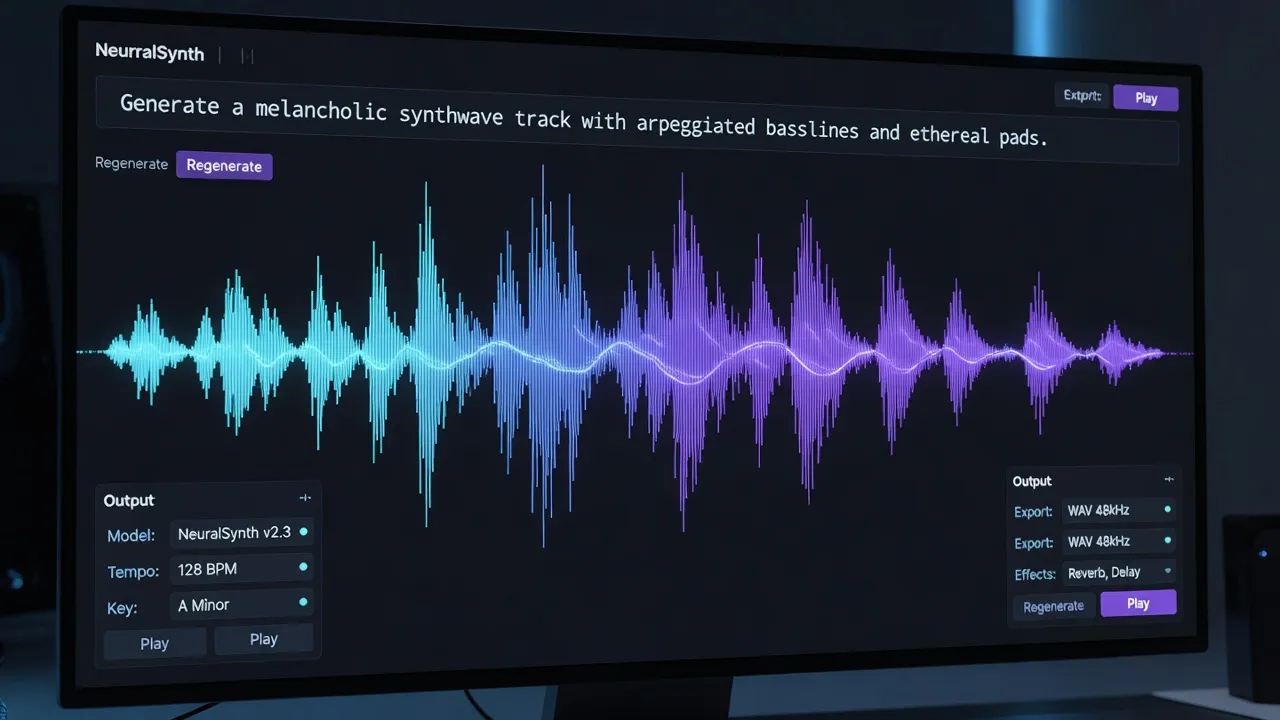
The Engines of Creation: Transformers vs. Diffusion in Audio
To truly master AI music, it’s essential to understand the two fundamental architectures that power nearly every state-of-the-art model in 2026: transformers and diffusion models. While they both turn text into sound, they approach the task from philosophically different angles, each with distinct strengths and weaknesses.
Transformers: The Sequential Storytellers
First popularized in natural language processing by Google’s “Attention Is All You Need” paper in 2017, transformers are masters of sequence. They excel at understanding context and predicting the next element in a series. For music, this is a natural fit. A piece of music is, at its core, a sequence of notes, chords, and rhythmic events.
Models like Meta’s MusicGen and the core of Suno and Udio’s architecture are transformer-based. They work by first converting raw audio into a compressed, symbolic representation called “audio tokens” using an encoder like EnCodec. Think of these tokens as the “words” in a new musical language. The transformer model is then trained on a vast library of tokenized music. Its sole job is to learn the probability of which token should come next, given the preceding sequence and the user’s text prompt. When you ask for a “downtempo synthwave track,” the model uses the prompt to guide its initial token choices and then autoregressively generates the rest of the sequence, token by token, building a coherent musical structure.
Their strength lies in musicality and long-form coherence. Because they process music sequentially, they have a better innate grasp of melody, harmony, and song structure like verses and choruses. However, they can sometimes fall into repetitive patterns or produce audio that feels slightly “canned,” as they are predicting the most likely next step, not necessarily the most interesting one.
Diffusion Models: The Textural Sculptors
Diffusion models, which took the visual art world by storm with tools like Midjourney and Stable Diffusion, operate on a completely different principle. Instead of building a sequence, they sculpt sound from chaos.
A diffusion model like Stability AI’s Stable Audio starts with a field of pure, random noise. It is then trained to reverse a process of gradually adding noise to clean audio. During generation, it takes the random noise and, guided by the text prompt, iteratively “denoises” it over dozens of steps. At each step, it makes a tiny refinement, pulling the audio closer to what the prompt describes. This process is analogous to a sculptor starting with a block of marble (noise) and slowly chipping away until a statue (the finished audio) emerges.
For a head-to-head comparison of the top platforms, our Suno vs Udio vs Stable Audio comparison benchmarks them with identical prompts.
The primary advantage of diffusion models is their unparalleled ability to generate rich, complex textures and high-fidelity audio. They excel at sound design, ambient soundscapes, and creating unique timbres that feel organic and detailed. They think in terms of the entire audio spectrogram at once, not just the next token. Their weakness, historically, has been long-form structural coherence. While they can create a fantastic 30-second loop, getting them to generate a compelling verse-chorus-verse structure without human intervention remains a challenge. By 2026, hybrid approaches are becoming common, using transformers to sketch out the high-level song structure and diffusion models to “inpaint” the high-fidelity textural details.
The 2026 Arena: A Showdown of the Titans
The AI music landscape of 2026 is dominated by a few key players, each carving out a specific niche. For a creative coder or demoscene musician, choosing the right tool depends entirely on the desired outcome, from generating a full pop song to crafting a specific sound effect.
Suno & Udio: The Jukebox Giants
Suno and Udio are the undisputed champions of full-song generation, especially with vocals. They represent the most accessible, consumer-facing side of AI music. Their core strength lies in their massive, proprietary transformer models trained on an immense (and controversial) corpus of music. This allows them to generate surprisingly coherent 2-3 minute songs in a vast array of genres with lyrics, verses, choruses, and even guitar solos.
- Suno (v4): Think of Suno as the “ChatGPT of music.” It’s incredibly easy to use and can produce catchy, if sometimes generic, results from a simple prompt like “80s power pop anthem about coding a demo.” By 2026, its “Custom Mode” has become more advanced, allowing users to specify lyrics, style, and a basic structure, but it still operates largely as a black box. Its primary use case is rapid prototyping of song ideas.
- Udio: Launching in 2024 as a direct competitor to Suno, Udio has carved out a niche with a strong community focus and slightly more “indie” sounding output. Its key differentiators in 2026 are its powerful in-painting and “extend” features, which allow for more iterative creation. You can generate a 30-second clip, like what you hear, and then ask Udio to generate the next 30 seconds, leading to more controlled, longer compositions. It feels less like a one-shot generator and more like a collaborative partner.
For a demoscener, Suno and Udio are excellent for generating vocal hooks or melodic foundations that can then be heavily processed, chopped up, and rearranged in a DAW. They are less useful for creating intricate, non-standard electronic music from scratch.
Stable Audio (2.0): The Sound Designer’s Dream
Developed by Stability AI, Stable Audio 2.0 is the spiritual successor to Stable Diffusion, but for audio. It is built on a latent diffusion model and is the preferred tool for professionals and creative coders. Its strengths are not in generating pop songs, but in creating high-fidelity instrumentals, sound effects, and textural loops with an incredible degree of control.
A niche but important use case is how AI handles 8-bit and chiptune styles specifically — our dedicated guide tests the demoscene-relevant outputs.
Its key feature is its deep understanding of audio-specific terminology. You can prompt it with A 96kHz recording of a single C4 note played on a glass harmonica, with a long reverb tail, 120 BPM, and it will deliver precisely that. It also supports audio-to-audio generation, where you can hum a melody or provide a drum loop and have the model transform it into a full arrangement. For demosceners, Stable Audio is an absolute powerhouse for generating unique synth patches, atmospheric pads, glitchy percussion, and procedural soundscapes that would take hours to design manually. Its API makes it a prime candidate for integration into custom creative coding tools.
MusicGen (Meta): The Open-Source Workhorse
MusicGen is Meta AI’s contribution to the field, and its most important feature is its open-source nature. While its raw output quality might lag slightly behind the massive, proprietary models of Suno or Stable Audio, its value lies in its hackability. MusicGen can be run locally (on a sufficiently powerful GPU) and, most importantly, can be fine-tuned.
This is a game-changer for the demoscene. A composer could fine-tune a MusicGen model on a dataset of classic C64 SID tunes, Amiga MOD files, or even their own back catalog. The result would be a personalized AI model that generates music in their unique style or in the specific aesthetic of a retro platform. This allows for the creation of authentic-sounding chiptunes or tracker music that is entirely novel. For a scene that values custom tools and pushing technical boundaries, MusicGen represents the true spirit of creative coding in AI music.
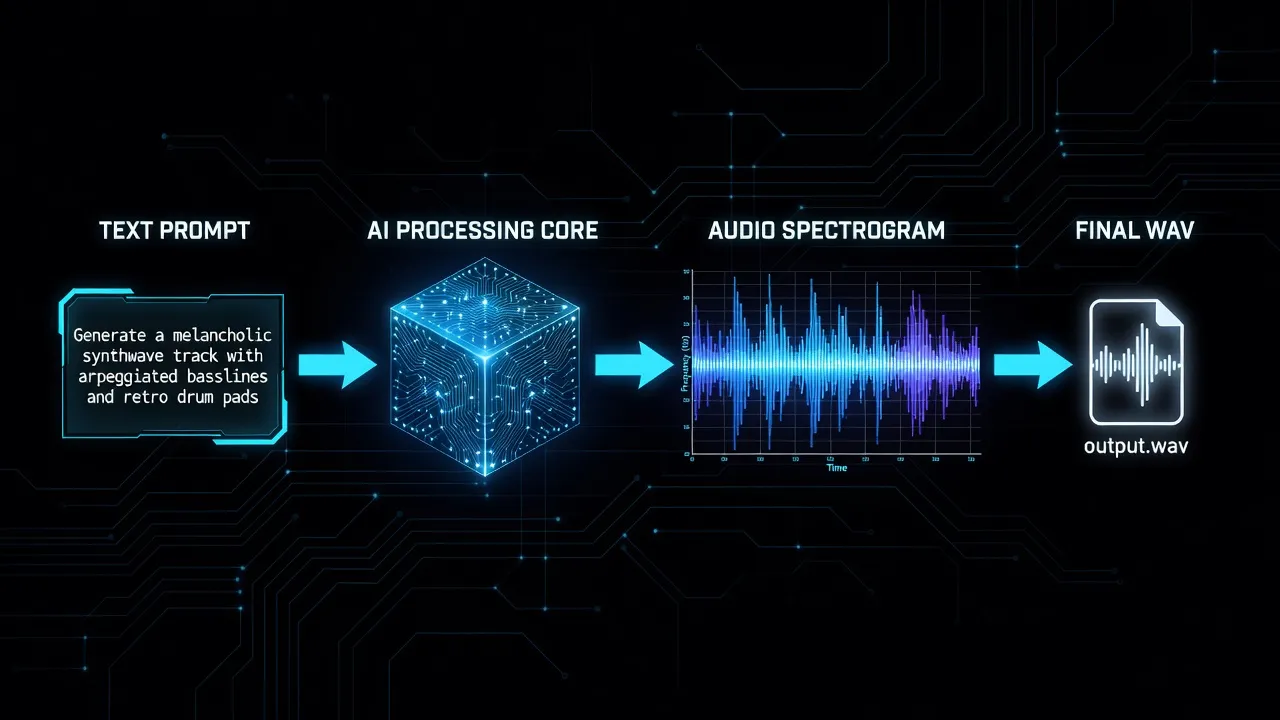
The Prompt is the Instrument: Mastering Musical Intent with LLMs
In 2026, the single most important skill for an AI musician is not music theory or production, but prompt engineering. However, “prompting” has evolved far beyond simple one-line descriptions. The true power lies in using Large Language Models (LLMs) like Anthropic’s Claude 3.5 Sonnet or OpenAI’s GPT-4o as “prompt co-pilots” to translate abstract creative intent into the detailed, technical language that music models understand.
This practice is often called “meta-prompting.” Instead of directly telling Stable Audio what you want, you have a conversation with an LLM first. The LLM acts as a creative partner and technical translator.
Imagine a demoscener’s goal: create a soundtrack for a 4k intro with a “cybernetic forest” theme. A naive prompt would be music for a cybernetic forest. The result would be generic.
Getting great results from any of these tools requires mastering prompt engineering for AI music generation.
A meta-prompting workflow with Claude would look like this:
User to Claude:
I need a prompt for an AI music model like Stable Audio 2.0. The track is for a demoscene 4k intro. The theme is a ‘cybernetic forest at dawn.’ It should start sparse and atmospheric, build tension with a subtle, glitchy beat, and resolve into a hopeful, melodic synth arpeggio. The mood is mysterious but ultimately optimistic. The runtime should be about 90 seconds. Please generate a detailed, structured prompt that specifies instrumentation, BPM, key, structure, and sonic textures.
Claude’s Generated Prompt for Stable Audio:
Overall Description: A 90-second instrumental track capturing the essence of a cybernetic forest at dawn. Evolving from atmospheric and mysterious to a hopeful, melodic climax. High-fidelity, 48kHz, stereo.
Structure & Timing:
- (0:00-0:20): Intro. Sparse, atmospheric. Chirping of digital insects, low sub-bass drone in C minor, gentle pads made from granular synthesis of processed bell sounds. No percussion. 70 BPM.
- (0:20-0:50): Build-up. Introduce a subtle, glitchy beat. A 4/4 kick pattern with irregular, stuttering hi-hats reminiscent of malfunctioning robotics. A simple, melancholic synth lead melody enters, heavily delayed. BPM slowly ramps from 70 to 110.
- (0:50-1:20): Climax. The beat becomes more driving and consistent. Introduce a bright, hopeful arpeggiated synth line (sawtooth wave with chorus and reverb) playing a C major chord progression. The sub-bass drone resolves to C major.
- (1:20-1:30): Outro. All elements fade out, leaving only the reverb tail of the main arpeggio and the faint sound of the digital insects.
Sonic Descriptors: Glitch, cinematic, atmospheric, lush reverb, analog warmth, digital artifacts, evolving, procedural, sci-fi, downtempo electronica.
This detailed prompt is far more likely to produce a result that matches the creator’s vision. LLMs can even generate prompts in code-like formats for models that support more structured input, effectively becoming a natural language interface for complex synthesis.
AI music generation is as much about the creative process as the tool — effervesciences.fr’s article on science-backed approaches to creative performance applies to any creative discipline.
# A hypothetical future Python API call structured by an LLM
import stable_audio_api

prompt = {
    "text": "Cybernetic forest at dawn, evolving from sparse to melodic.",
    "bpm": 110,
    "key": "c_minor",
    "structure": [
        {"type": "intro", "duration_sec": 20, "elements": ["pad", "sfx_insect", "sub_bass"]},
        {"type": "buildup", "duration_sec": 30, "elements": ["glitch_beat", "synth_lead"]},
        {"type": "climax", "duration_sec": 30, "elements": ["arpeggio", "driving_beat"]},
        {"type": "outro", "duration_sec": 10, "elements": ["reverb_tail"]}
    ],
    "mood_tags": ["mysterious", "hopeful", "sci-fi"]
}


The rise of AI music raises serious questions — our coverage of [the ethical debates around AI music in competitions](/ai-music-ethics-competitions/) covers the community's evolving rules.

audio_data = stable_audio_api.generate(prompt, length_seconds=90)
audio_data.save("cyber_forest.wav")
Mastering this workflow—using LLMs to articulate and structure your creative ideas—is the key to unlocking the full potential of AI music generation.
A Demoscener’s Workflow: From Concept to Executable
For a demoscener, AI music generation is not a push-button solution that spits out a finished track. Instead, it’s a powerful new component in a larger creative toolchain. The goal is not to replace the artist but to provide them with an infinite source of high-quality, bespoke raw material. Here is a practical, five-step workflow for integrating AI into a demo production.
Running any of these models locally requires serious hardware — ComputerHeaven’s breakdown of GPU hardware requirements for running AI music models locally tells you exactly what you need.
Step 1: Ideation and Prompt Expansion The process begins not in a music tool, but with an idea and an LLM. Define the demo’s theme, mood, and visual arc. Feed this high-level concept to Claude or GPT-4 and use the meta-prompting technique to generate a dozen rich, detailed musical prompts. Think of this as creating a “mood board” of sonic possibilities. Experiment with different genre fusions and instrumental palettes. For example, “chiptune meets orchestral strings” or “breakcore rhythms with Gregorian chants.”
Step 2: The “Loop Farm” - Focused Generation Resist the urge to generate a full three-minute song. This often leads to generic, structurally weak results. Instead, use your detailed prompts in a tool like Stable Audio 2.0 or MusicGen to generate a large number of short, focused clips (15-45 seconds). Generate individual elements: a folder of glitchy percussion loops, another of evolving atmospheric pads, a third with melodic hooks. This approach, often called “loop farming,” gives you a library of unique, stylistically coherent audio assets to work with. Treat the AI as a session musician you’re directing to record various parts.
Step 3: Curation and the DAW This is where human artistry re-enters the picture. Import your “farmed” loops into your Digital Audio Workstation (DAW) of choice—be it Ableton Live, Reaper, FL Studio, or even a modern tracker like Renoise. Listen through the dozens of generated clips and select the “happy accidents”—the most interesting rhythms, the most evocative textures, the catchiest melodies. Discard 90% of the output. Your job is now that of a curator and editor, finding the gold within the generated content.
Step 4: The Human Touch - Arrangement, Synthesis, and Sound Design This is the most crucial step. The AI-generated clips are your raw material, not the final product.
- Arrangement: Drag, drop, slice, and arrange the curated loops on the DAW’s timeline to build a song structure. Create tension and release, build transitions, and form a narrative arc that complements the demo’s visuals.
- Layering: Combine AI elements with your own. Program a drum beat using your favorite sampler to underpin an AI-generated pad. Play a new bassline on a VST synthesizer to complement an AI melody. The fusion of human-played and AI-generated parts often yields the most compelling results.
- Processing: Use effects heavily. Run an AI synth loop through a granular synthesizer like Portal or a glitch plugin